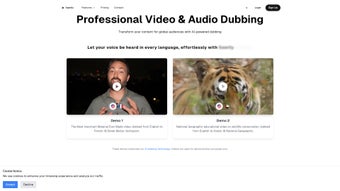

Download Sawtly – AI Voice Generator for Global Dubbing
Overview & Core Benefits
Sawtly is a cloud‑based AI voice generator built specifically for creators who need to dub videos, podcasts, e‑learning modules, or marketing clips into multiple languages. The platform leverages state‑of‑the‑art neural‑synthesis algorithms that mimic human intonation, rhythm, and emotional nuance, allowing you to transform plain text into a lifelike audio track in seconds. Because it runs entirely in the browser, there is no heavy installation, and the service stays up‑to‑date automatically – a critical advantage for fast‑moving teams that can’t afford downtime for patches or driver conflicts.
The primary audience for Sawtly includes video producers, educators, and digital marketers who want to expand their reach without hiring costly voice‑over talent for each language. By simply pasting a script, selecting a language, and choosing a voice style (e.g., “energetic presenter” or “calm narrator”), users receive a ready‑to‑embed audio file that matches the original tone. The subscription model offers tiered plans—from a modest “Starter” package for occasional creators to an “Enterprise” bundle that supports bulk processing, API access, and dedicated support.
This flexibility ensures that both indie YouTubers and multinational corporations can find a plan that aligns with their budget and volume needs.
Security is baked into the platform: all text and audio data are encrypted in transit (TLS 1.3) and at rest, and the service complies with GDPR and CCPA regulations. Updates roll out automatically, meaning you always have access to the latest voice models and language expansions without manual downloads.
In short, Sawtly combines ease of use, high‑quality output, and robust compliance, making it a compelling choice for anyone looking to localize content quickly and securely.
Key Features & How They Work
- Multi‑Language Support: Over 40 languages and 150 voice personas, ranging from male and female tones to age‑specific styles.
- Emotion‑Driven Synthesis: AI detects emotional cues in the source text and reproduces them—joy, seriousness, excitement—so the dubbing never feels robotic.
- Real‑Time Preview: A built‑in waveform visualizer lets you listen to a short excerpt instantly before committing to the full render.
- Batch Processing & API Access: Upload CSV files or integrate via RESTful API to automate dubbing for large video libraries.
- Custom Voice Creation (Enterprise): Upload sample recordings to train a proprietary voice that matches your brand’s unique sound.
- Secure Cloud Storage: All generated audio files are stored securely for 30 days, with options to download in MP3, WAV, or OGG formats.
- Seamless Integration: Direct export to popular video editors (Adobe Premiere, Final Cut Pro) and LMS platforms (Moodle, Canvas).
Installation & Usage Instructions
Because Sawtly is a web‑based service, there is no traditional installation. To get started, follow these steps:
- Create an Account: Visit sawtly.com and sign up using an email address or single‑sign‑on (Google, Microsoft). Verify your email to unlock the free trial.
- Select a Subscription Plan: Choose between “Starter,” “Professional,” or “Enterprise.” Each tier displays its monthly cost, voice‑generation limits, and API call quotas.
- Upload Your Script: In the dashboard, click “New Project,” paste or upload a .txt/.srt file, and tag each segment with the target language code (e.g., “en‑US,” “fr‑FR”).
- Pick a Voice: Browse the voice library, filter by language and emotion, then click “Apply.” A 5‑second preview plays automatically.
- Generate Audio: Hit “Render.” Depending on file length and plan limits, processing takes from a few seconds to a couple of minutes. Progress is displayed in a real‑time bar.
- Download & Integrate: Once rendering completes, download the audio file(s) and import them into your video editing software or upload directly to your hosting platform.
- Optional API Workflow: For large-scale projects, generate an API key in the “Developer” tab. Use the provided SDKs (Python, Node.js, Java) to send POST requests with JSON payloads containing text, language, and voice ID. The API returns a URL to the generated audio.
The intuitive UI is designed for non‑technical users, but power users can leverage the API for automated pipelines. Documentation is available in the “Help Center,” featuring step‑by‑step guides, video tutorials, and a community forum where you can exchange best practices with other creators.
Compatibility, Pros & Cons, and Frequently Asked Questions
System Compatibility
Sawtly runs on any modern web browser that supports WebGL and TLS 1.3, including Chrome, Firefox, Edge, and Safari on Windows 10/11, macOS 12+, Android 8+, and iOS 13+. Because the heavy lifting is performed on Sawtly’s secure servers, local hardware requirements are minimal—just a stable internet connection and a microphone (if you wish to record custom voice samples). The platform also offers a lightweight desktop wrapper (Electron) for users who prefer a dedicated app on Windows or macOS.
Pros & Cons
- Pros:
- High‑quality, natural‑sounding voices across many languages.
- No need for expensive studio sessions or native speakers.
- Instant preview and fast rendering speeds.
- Flexible subscription tiers and generous free trial.
- Robust security (TLS 1.3, GDPR/CCPA compliance).
- API and batch processing for enterprise‑scale projects.
- Cons:
- Requires an internet connection; offline usage is not supported.
- Custom voice creation is limited to Enterprise plans.
- Audio file storage is temporary unless you download immediately.
- Pricing can become high for very large volume users without a negotiated contract.
FAQ – Your Questions Answered
Can I use Sawtly for commercial projects?
Yes. All subscription plans include a commercial‑use license, allowing you to embed generated audio in monetized videos, courses, or advertising campaigns.
How accurate is the pronunciation for less common languages?
Sawtly’s AI models are trained on extensive phonetic corpora, delivering near‑native pronunciation for most supported languages. For rare dialects, the system may occasionally misplace stress, but you can fine‑tune the output using the “Pronunciation Guide” tool in the editor.
Is there a limit to the length of a single script?
Individual script uploads are limited to 10 000 characters for Starter plans and up to 100 000 characters for Professional and Enterprise tiers. Longer videos can be split into multiple segments for batch processing.
How does Sawtly protect my data?
All data is encrypted in transit (HTTPS/TLS 1.3) and at rest using AES‑256. Sawtly adheres to GDPR, CCPA, and ISO 27001 standards, and you can request data deletion at any time via the account settings.
Can I integrate Sawtly with my existing video workflow?
Absolutely. The platform provides direct export plugins for Adobe Premiere Pro, Final Cut Pro X, and DaVinci Resolve. Additionally, the REST API allows you to embed dubbing directly into custom pipelines or LMS platforms.
Conclusion & Call to Action
In a world where audiences expect localized content at the click of a button, Sawtly delivers a powerful blend of AI‑driven realism, multilingual breadth, and user‑centric design. Its cloud‑first architecture removes the headaches of hardware upgrades, while the subscription model scales from hobbyists to global enterprises. The occasional drawbacks—such as the need for an internet connection and premium pricing for massive volumes—are outweighed by the time and cost savings of not having to hire voice talent for every language.
If you’re ready to accelerate your global outreach, boost engagement, and maintain brand consistency across borders, download Sawtly today. Start with the free trial, explore the voice library, and experience how effortless high‑quality dubbing can become. For teams with larger ambitions, the Enterprise plan offers custom voice creation and dedicated support—perfect for building a signature sound that resonates worldwide.
Sawtly combines cutting‑edge AI with an intuitive interface, making it the go‑to solution for fast, accurate dubbing in multiple languages.



.png)



